Please refer to the table below to locate the specific error code, which outlines potential causes and general troubleshooting directions.
The following are detailed troubleshooting steps for each error code. Please try them in order one by one:
Overload Protection
HighE05 appears during operation or startup, usually with sudden shutdown or failure to accelerate. It is caused by current overload protection or unstable input voltage triggering the system's self-protection.
- Restart: Turn off and unplug. Wait 1 minute, then plug back in and turn on.
- Check outlet voltage: Use a stable, dedicated outlet — avoid sharing with high-power appliances.
- Check for obstructions: Look under the belt and inside the motor cover for debris or clothing. Clean if found.
- Reduce load or speed: Lower speed or reduce load if E05 occurs frequently under high load.
Safety Key Issue
LowE07/L03 on the display with no power or sudden shutdown. Usually caused by an improperly installed safety key — this is a normal safety feature. If the key is properly installed but the error persists, the safety key module may be damaged.
- Check safety key: Fully insert into the yellow slot until it clicks.
- Reinsert: Remove, wait 5 seconds, plug back in firmly. Check if E07 disappears.
- Inspect for debris: Check the slot for dust or objects. Clean gently with a dry cloth if needed.
Motor Fault
HighMotor sounds abnormal, runs weak, or won't start. Usually caused by a loose/damaged carbon brush cover, lower control board failure, or motor hardware issue.
- Check carbon brush cover: Ensure it is securely installed with no damage or detachment.
- Confirm E02 timing and inspect control board: Note when E02 appears (startup, operation, or after a specific action). Check the control board for burn marks, odors, or visible damage (disconnect power first).
- Stop and unplug immediately: Turn off and unplug the machine as soon as E02 appears to prevent further damage.
Startup Failure
LowE01 appears after power-on — the device won't run. May be caused by a loose communication cable or a faulty control board.
- Reconnect the communication cable: Unplug power, disconnect and reconnect the cable between the display and control board. Ensure it is secure.
- Inspect the cable: Check for visible damage, creases, or bent pins (external only — do not disassemble).
- Power on and test: Reconnect power and turn on. Check if E01 disappears and the machine starts normally.
Communication Error
MediumE08 appears during operation with continuous beeping and shutdown — communication signal lost between the display and control board, usually due to a loose or damaged connection cable.
- Check cable connection: Disconnect power, locate the cable between the display and control board. Ensure both ends are fully inserted and not loose.
- Reconnect: If loose, carefully remove any tape or zip ties, fully unplug, then plug back in until the connector clicks into place.
- Inspect for damage: Check the cable surface for breaks, pinching, cuts, or bent pins (externally visible only — do not disassemble).
- Check routing: Make sure the cable is not tightly wrapped around the power cord or other cables. Separate them to avoid signal interference.
- Power on and test: Reconnect power and run at low speed for a while to see if E08 reappears.
Motor Connection Fault
HighMotor doesn't spin, runs weak, or pauses during startup/operation. Usually caused by loose/poor motor wiring, broken circuit between the control board and motor, or power supply issues preventing normal drive signals.
- Check all connections: Disconnect power, open the motor cover (external screws only, do not disassemble internal components). Ensure all cables — motor cable, control board ribbon cable — are fully inserted and not loose.
- Reconnect motor cable: Fully unplug the cable between the motor and control board, then plug it back in firmly until the connector clicks into place.
- Inspect for damage: Check the cable surface for breaks, burn marks, or bent pins (externally visible only).
- Power cycle: Turn off the machine, unplug for 2-3 minutes, then plug back in and turn on. Check if E12 disappears.
Incline Motor Fault
MediumError code E09 (for incline models) indicates a malfunction of the incline motor or a loose connection in the incline motor wiring.
- Check all connections: Disconnect power, open the motor cover (external screws only). Ensure all cables — lifting motor cable, control board ribbon cable — are fully inserted, not loose, and not damaged. Reconnect the lifting motor cable to the controller to ensure it is secure.
Drive / Voltage Abnormal
MediumE23/E24/E28 codes may appear due to abnormal PWM drive, low bus voltage detection, or no feedback voltage at the controller motor terminals.
- Check power plug and motor connection: Check for looseness or damage. Ensure the power cord is secure.
Speed Sensor Fault
MediumE03 code means the controller detects no speed signal — the speed sensor or controller may be faulty.
- Check all connections: Disconnect power, open the motor cover (external screws only). Ensure all cables — motor cable, control board ribbon cable — are fully inserted, not loose, and not damaged.
Overheat Protection
MediumError code E15 indicates the machine has triggered overheat protection, typically caused by insufficient lubrication, blocked ventilation, or prolonged continuous operation.
- Disconnect power, wait 15 minutes, then restart.
- Check lubrication: If the treadmill hasn't been maintained recently, re-lubricate it.
- Ensure proper placement: Place the treadmill on a hard floor (not carpet). Make sure the bottom vents are not blocked.
Low Voltage
MediumError code E06 typically indicates that the power supply voltage is too low, or there is a malfunction in the controller or motor.
- Check the input power voltage: Verify whether the input power supply voltage is within the normal range.
- Inspect the power outlet and plug: Check the connection at the power outlet and plug for any looseness or visible damage.
Controller Overload
HighError codes E19/E20 may be caused by an excessive current draw due to exceeding the rated load, which triggers the system's self-protection mechanism, or by a malfunctioning controller.
- Check power plug and motor connection: Check for looseness or damage. If normal, restart the machine.
To help you get assistance quickly, we offer a variety of after-sales channels. You may choose the most convenient option based on your preference:
App-Exclusive After-Sales Support
Open the app, then go to Profile > Settings > Feedback
Social Media
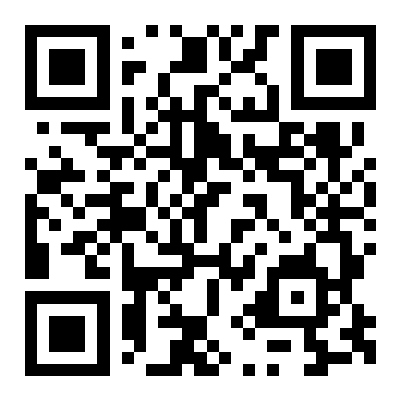
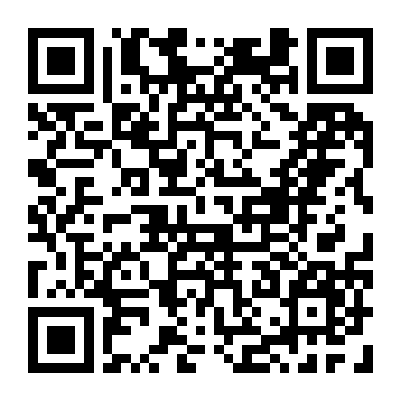
Other Channels
- Official Website FAQs
- Website Live Chat
- Support Hotline
+1(713) 589-0078
+1(281) 777-8190 - Email Support support@fit365.community
- WhatsApp +1(713) 589-0078
📋 When contacting after-sales support, please have the following information ready:
- Order number (can be found in the purchase confirmation email or on the order page in the APP)
- Product model (e.g., TM010, TM032, WP019, etc.; can be found on the nameplate on the device body)
- Error code displayed on the screen (e.g., E07, E05, etc.; you may take a photo for reference)
- Specific circumstances when the fault occurred (e.g., whether there was unusual noise or a burning smell, whether it occurred for the first time or repeatedly, etc.)
- Date of purchase (used to confirm warranty status)
We are always available to assist you.
Our customer service representatives will respond within 48 hours to help resolve your concerns. Thank you for choosing our products!